|
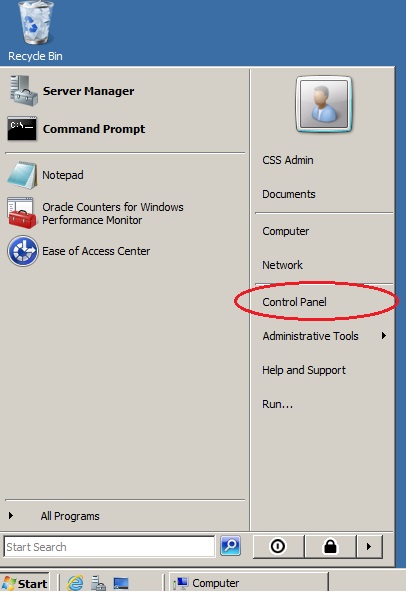
| Step 1: |
| Start Menu > Control Panel |
| |
 |
| |
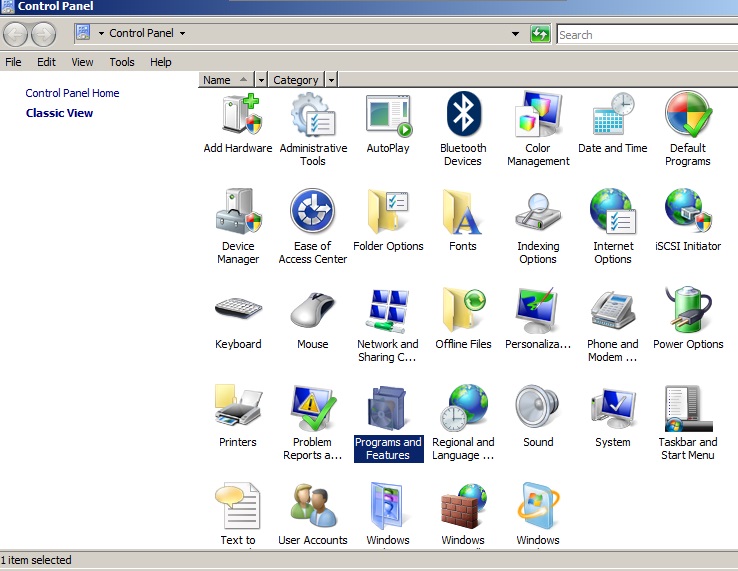
| Step 2: |
| Select "Programs and Features" |
 |
| |
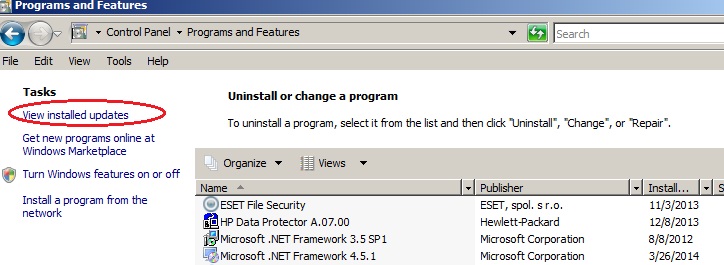
| Step 3: |
| Select "View installed updates |
| |
 |
| |
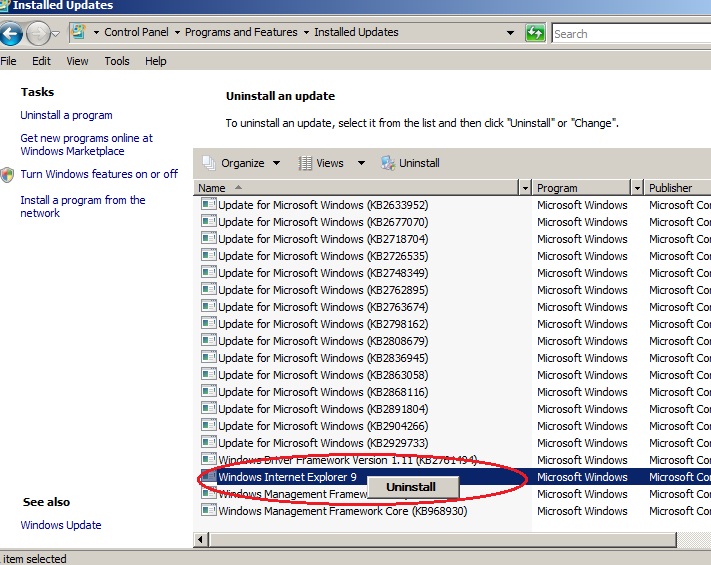
| Step 4: |
| Select "Windows Internet Explorer 9" then Right click, click "Uninstall" |
| |
 |
| |
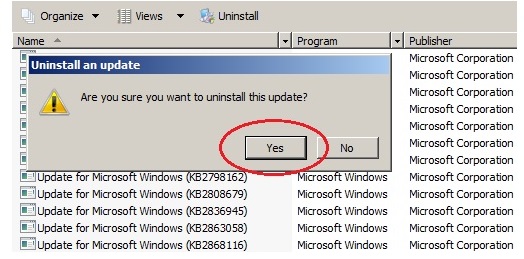
| Step 5: |
| Confirm Uninstall, Click "Yes" |
 |
| |
| Step 6: |
| Internet Explorer will downgrade after computer restart. |